Web v1.1.0 – Release Notes
Web v1.1.0 – Release Notes
25 May 2026
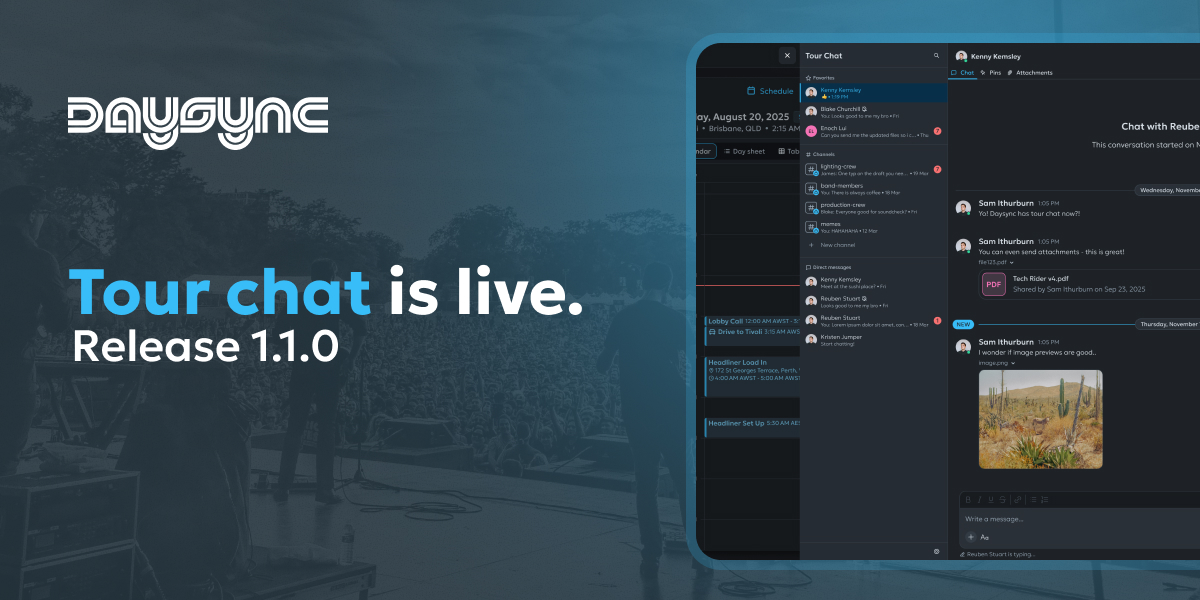
This is a milestone release for Daysync on the web. Team Chat has arrived — a full conversations experience built directly into your tour — alongside powerful schedule multi-select, custom tags, and colour coded day types to help your team move faster together.
What's New
💬 Tour Chat
Conversations are now part of Daysync. Start chats with anyone on your tour from a new sidebar, share files and photos, quote-reply to specific messages, and pin important updates so the team always knows where to look. Rich text formatting, file previews, and a dedicated attachments tab keep critical information easy to find.
🎯 Schedule Multi-Select & Batch Actions
Pick multiple items on the calendar or in the table view and act on them in one go. Use checkboxes in the table, hold Shift to add to a selection on the calendar, or use the new master checkbox to select everything visible. Right-click context menus, cut-and-paste safeguards, and clearer in-line snackbars round out a much more powerful schedule.
🏷️ Custom Tags for Schedule Items
Add your own tags to any schedule item — flights, drives, shows, anything — so you can label, group, and find items the way your tour works. Tags appear directly on the item and in the sidebar details.
🎨 Colour Coded Days
Every day type now has a colour you can see at a glance — Show Days, Travel Days, Days Off, Load Ins, Production, and more — both in the sidebar and on the schedule. Each person can choose their own colours in Settings, and your choices stay yours alone.
Improvements
- Travel item auto-rerouting — Move a drive, walk, train, sea or flight item and Daysync now silently refreshes the travel duration based on the new departure time, with a small notice confirming the update.
- Drag to create travel items — Drag on the calendar to create a new travel item and the duration is now filled in for you automatically once you enter the origin and destination.
- Smarter multi-select on the calendar — Travel items now have no resize handles, and selection rules are clearer and more consistent across the calendar and table views.
- "Mark all as read" — Clear unread chat indicators in one click when you're caught up.
- "Several people are typing" — When more than three people are typing in a chat, you'll see a clean summary instead of a long list of names.
- Undo for schedule changes — Quick undo support so accidental moves and deletions are easier to recover from.
Bug Fixes
Schedule
- Editing a schedule item no longer accidentally moves it to whichever day is currently active in the sidebar.
- Tag chips now appear in the correct colour straight away when added in the schedule item drawer, instead of briefly flashing a different shade.
- The schedule item drawer now uses the correct tag field styling.
- Buttons that submit changes now show a loading state so you can't accidentally trigger a duplicate submission.
- The time gutter no longer shows duplicate time labels on daylight-saving fall-back days for Australian Western and Eastern timezones.
- Day type colours now look consistent across web and mobile so the team sees the same thing.
Account & Sign-In
- Sign-in now accepts longer email domain endings like
.cloud,.academy, and.design. - The user menu in the header now opens reliably on the first click.
Invites & Modals
- The role dropdown inside the Invite People modal no longer gets cut off by the modal edge when only one person is being invited.
Calendar
- "+n" and "–n" indicators for additional items now show up correctly in the calendar.
Thanks for using Daysync. Got feedback? We'd love to hear from you on our Discord: https://discord.gg/dh3vYrF8hZ or directly via email at feedback@daysync.com.
Talk soon, Kenny